iThrottle BTX Driving Modes Explained: Which Mode Should You Use?
No single throttle setting is ideal for every drive.
The response you want while commuting through traffic is very different from what you need when towing a caravan, crawling over rocks, driving through soft sand or operating a winch during a recovery.
That is where the new iThrottle BTX Throttle Controller takes a different approach.
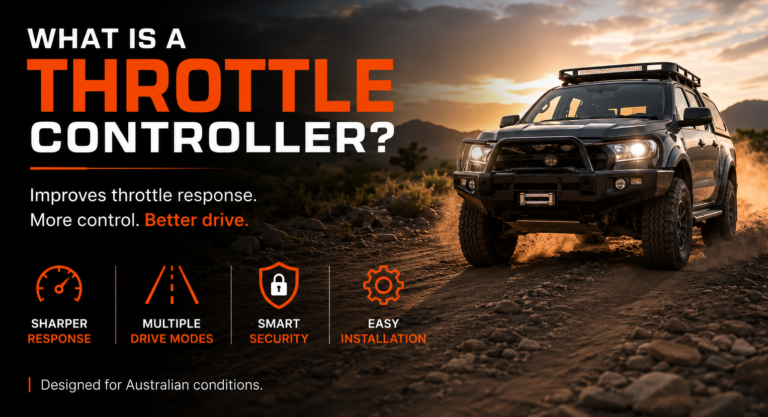
Rather than simply making the accelerator more aggressive, BTX gives drivers a range of dedicated driving modes designed around different road conditions, terrain and driving situations. iThrottle currently describes the system as offering eight performance modes with nine adjustable sensitivity levels, allowing drivers to fine tune throttle behaviour from smooth and progressive through to sharp and highly responsive.
So which iThrottle mode should you use?
This guide explains what each mode does, when it makes sense to use it and how the different settings can help you get more control from your 4WD.
View the new iThrottle BTX Throttle Controller
First, What Does a Throttle Controller Actually Change?
Modern vehicles use an electronic drive by wire accelerator system.
When you press the accelerator pedal, an electronic signal is sent to the vehicle’s control system. The vehicle then determines how the throttle responds to that input.
A throttle controller sits within this electronic signal path and changes the relationship between pedal movement and throttle response.
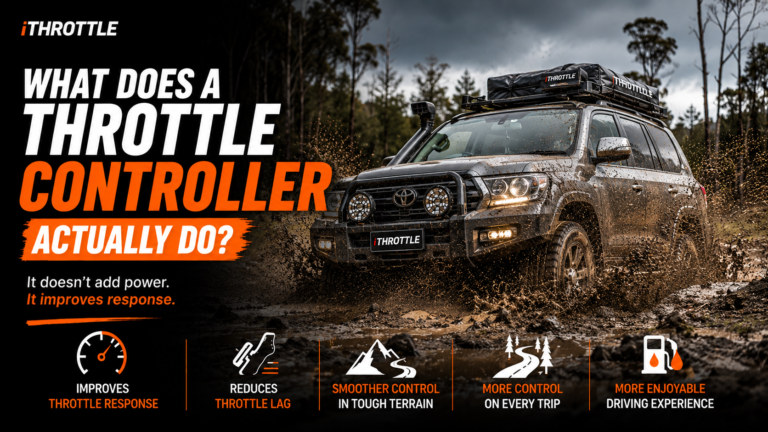
Importantly, it does not increase your engine’s maximum horsepower or torque.
Instead, it changes how quickly or progressively the vehicle responds when you press the accelerator. This can make the same vehicle feel sharper, smoother or easier to control depending on the selected mode.
That distinction is important because the most aggressive throttle setting is not necessarily the best setting.
Sometimes you want more response.
Sometimes you want less.
The real advantage of BTX is being able to choose the response that suits what you are doing.
Which iThrottle Mode Should You Use?
As a quick guide:
| Driving situation | Recommended mode |
|---|---|
| Sharper everyday response | Boost Mode |
| City traffic and relaxed driving | Eco Mode |
| Caravan, trailer or heavy load | Towing Mode |
| Rocks, ruts and technical terrain | Crawl Mode |
| Sand, mud and loose surfaces | Sand & Mud Mode |
| Adaptive everyday driving | Intelligent Mode |
| Winching and recovery | Winch Mode |
| Factory throttle response | Off Mode |
| Vehicle security | Lock / SmartLock™ |
| Stationary exhaust customisation | Rumble Mode |
The best mode will always depend on your vehicle, load, terrain, weather and driving conditions.
Boost Mode: When You Want Maximum Throttle Response
Best for:
City merging, highway driving, overtaking and drivers who prefer a sharper accelerator.
Boost Mode is designed to deliver the strongest throttle response across the rev range, with particular emphasis on low to mid throttle inputs.
For many drivers, this is the setting that produces the most immediately noticeable change.
Press the accelerator and the vehicle responds sooner and more assertively.
Boost Mode can be useful when:
- Pulling away from traffic lights
- Entering a busy roundabout
- Merging onto a motorway
- Overtaking
- Climbing hills
- Driving a vehicle that feels lazy from the factory
It is particularly useful if your main complaint with your 4WD is throttle lag.
Should you leave Boost Mode on all the time?
You can use it whenever the sharper response suits your driving conditions, but maximum sensitivity is not automatically the best choice everywhere.
Technical terrain, slippery surfaces or situations requiring very fine pedal control may benefit from a softer mode instead.
That is why BTX gives you different maps rather than simply one permanent “faster” setting.
Eco Mode: For Smoother Everyday Driving
Best for:
Commuting, stop start traffic, relaxed cruising and smoother acceleration.
Eco Mode takes a very different approach to Boost Mode.
Instead of sharpening throttle response, it softens the accelerator map so that small pedal movements produce a more gradual response.
That can make it easier to drive smoothly in:
- Heavy traffic
- School zones
- City streets
- Long highway drives
- Stop start conditions
- Everyday commuting
The softer response can also reduce unnecessary changes in engine demand caused by aggressive or inconsistent accelerator inputs.
iThrottle states that Eco Mode is designed to help reduce fuel consumption and currently advertises potential savings of up to 9%, while noting that actual results vary according to the vehicle, driving conditions and driving style.
Does Eco Mode reduce maximum engine power?
No.
The current iThrottle information states that full throttle remains available when required. The mode primarily changes how progressively throttle is delivered during normal driving.
When should you use Eco Mode?
If you are driving to work, cruising through town or simply want a calmer accelerator, Eco Mode is a logical starting point.
It is also worth trying if you find yourself unintentionally accelerating harder than necessary in traffic.
Towing Mode: For Caravans, Boats and Trailers
Best for:
Caravan towing, trailers, boats, heavy loads and highway touring.
Hooking a caravan or trailer to your 4WD changes how the vehicle feels.
There is more weight to move, acceleration can feel slower and hills can make the factory throttle calibration feel even more conservative.
Towing Mode is designed specifically for these conditions.
During lighter throttle use, it maintains smoother normal driving behaviour. As you apply more accelerator, the response increases to help with situations such as:
- Pulling away with a loaded vehicle
- Climbing hills
- Joining highway traffic
- Overtaking
- Maintaining momentum
- Recovering speed after slowing down
iThrottle describes Towing Mode as maintaining normal response at lower throttle positions while increasing response at higher pedal inputs.
Does Towing Mode give you more towing power?
It does not increase the engine’s actual power output.
What it changes is how quickly you access the performance already available from the vehicle.
This distinction is important.
If your vehicle is appropriately rated for the load, Towing Mode can make the accelerator feel more responsive without claiming to increase your towing capacity or engine output.
Crawl Mode: Precision for Technical Off Road Driving
Best for:
Rock crawling, deep ruts, steep tracks and low speed manoeuvring.
Off road driving does not always benefit from an aggressive accelerator.
On rocks, ruts and technical sections, too much throttle can cause:
- Sudden wheel spin
- Loss of traction
- Unwanted vehicle movement
- Digging into soft surfaces
- Difficulty maintaining a controlled line
Crawl Mode softens throttle response so that you can make finer pedal adjustments at low speed.
This gives you more control when carefully positioning the vehicle over obstacles.
When should you switch to Crawl Mode?
Think about Crawl Mode when precision matters more than acceleration.
For example, you may be approaching a rocky step where a sudden throttle increase could break traction.
A softer accelerator gives your right foot a larger usable movement range, making small throttle changes easier to control.
That can make the vehicle feel calmer and more predictable.
Sand & Mud Mode: Progressive Response on Loose Terrain
Best for:
Beach driving, sand tracks, mud and changing traction conditions.
Sand and mud require a different balance.
You often need enough throttle to maintain momentum, but an overly sharp pedal can make traction harder to manage.
Sand & Mud Mode uses a specialised throttle map intended for loose and slippery terrain.
The aim is a more progressive response that helps you control power delivery as surface conditions change.
Sand & Mud Mode vs Crawl Mode
These modes may both be used off road, but they solve different problems.
Crawl Mode prioritises very fine low speed control.
Sand & Mud Mode is intended for terrain where maintaining controlled momentum is often more important.
For example:
Rocky climb at walking speed? Crawl Mode.
Long stretch of soft sand? Sand & Mud Mode.
Deep ruts requiring precise wheel placement? Crawl Mode.
Changing muddy track conditions? Sand & Mud Mode may be the better starting point.
Actual terrain varies, so always select the setting that gives you the safest and most predictable vehicle response.
Intelligent Mode: Let the System Adapt to You
Best for:
Mixed everyday driving and drivers who do not want to constantly change settings.
Not everyone wants to select a different throttle map every time road conditions change.
That is where Intelligent Mode comes in.
iThrottle describes Intelligent Mode as an adaptive program that learns your throttle behaviour and gradually fine tunes the response according to your driving style.
The idea is to find a balance between:
- Fine pedal control
- Smooth everyday acceleration
- Responsive driving
- Overtaking confidence
The more the mode experiences your accelerator behaviour, the better it can adapt to how you drive.
Who should use Intelligent Mode?
It is particularly suited to drivers who use their 4WD for a mixture of:
- Commuting
- Highway driving
- Weekend trips
- General touring
- Normal everyday use
Rather than committing to a strongly performance focused or economy focused setting, Intelligent Mode offers a more adaptive approach.
Winch Mode: Engine RPM Control for Recovery
Best for:
Winching and situations where additional stationary engine RPM is required.
Winch Mode is fundamentally different from the other drive modes.
Its primary job is not to change how the vehicle accelerates while driving.
Instead, it allows the engine RPM to be raised and maintained while winching.
Electric winches can place a considerable demand on a vehicle’s electrical system. Increasing engine RPM can help support alternator output while the winch is operating.
The new iThrottle Winch Mode offers nine adjustable RPM levels and can be operated through the iThrottle App.
This means you can select the RPM setting appropriate for the recovery situation whether you are operating the winch from inside or outside the vehicle.
When should you use Winch Mode?
Only when you are carrying out an appropriate stationary recovery or other supported use where controlled engine RPM is required.
It is not a normal driving throttle map.
Always follow safe winching practices and the instructions supplied with your recovery equipment.
Nine Adjustment Levels: Fine Tune Each Mode
Choosing the right mode is only the first step.
The latest iThrottle BTX provides nine adjustable sensitivity levels within its performance modes, giving drivers significantly more control over how strongly the selected mode affects throttle response.
For example, you may like Boost Mode but find maximum sensitivity too aggressive for normal traffic.
Instead of changing to a completely different mode, you can reduce the level.
Likewise, a driver towing a light box trailer may prefer a different Towing Mode setting from someone hauling a larger caravan.
This means there is no single “correct” level for every vehicle.
A sensible approach is to:
- Start at a moderate level.
- Drive in familiar conditions.
- Increase or decrease the setting gradually.
- Choose the level that feels smooth and predictable.
- Reassess when your load or driving conditions change.
More sensitivity is not automatically better.
The best setting is the one that gives you the control you need.
Off Mode: Return to Factory Throttle Response
Best for:
Returning the accelerator to its original factory behaviour.
Sometimes you may simply want to compare the modified throttle response with the way your vehicle originally drove.
Off Mode returns the throttle parameters to the factory response with no throttle enhancement.
It can be useful when:
- Comparing different settings
- Allowing another driver to use the vehicle
- Driving in conditions where you prefer the original pedal behaviour
- Assessing how much difference your preferred iThrottle mode is making
It is also a useful reminder that the controller is changing response, not engine power.
Lock Mode and SmartLock™: Security When You Are Not Driving
Best for:
Adding another layer of protection when your vehicle is parked.
Lock Mode is not a performance setting.
It is a security function designed to disable throttle operation and help prevent unauthorised vehicle movement.
The new SmartLock™ system takes this further with automatic operation.
According to iThrottle, SmartLock can automatically lock the accelerator pedal when the ignition is switched off and automatically unlock it when the authorised phone returns within Bluetooth range. A secure PIN override is also available if the authorised phone or Bluetooth connection is unavailable.
That means there is no need to remember to manually activate a security setting every time you leave the vehicle during normal use.
Does SmartLock replace the factory immobiliser?
No.
SmartLock should be considered an additional security layer, not a replacement for the vehicle’s existing factory immobiliser, locks or other security systems.
Layered protection is generally the more sensible approach for a valuable 4WD.
Rumble Mode: Customise the Sound While Stationary
Best for:
Drivers who want a customisable exhaust rumble while the vehicle is stationary.
Rumble Mode is another specialised function rather than a normal driving throttle map.
The feature uses controlled throttle inputs while the vehicle is stationary to create a deeper, more distinctive exhaust note.
Supported Rumble Mode settings can be managed through the iThrottle Smart App, including preset profiles and adjustments to characteristics such as intensity and frequency.
Because Rumble Mode is designed for stationary use, it should not be confused with Boost, Towing or other modes intended to change accelerator behaviour while driving.
Which Mode Is Best for Everyday Driving?
There is no universal answer because driving preferences differ.
However, a practical starting point might be:
Want a sharper feel?
Try Boost Mode at a moderate sensitivity level.
Want smoother commuting?
Try Eco Mode.
Want the controller to adapt to you?
Try Intelligent Mode.
For many owners, everyday use will involve one or two favourite modes, while the specialised settings are selected only when required.
You may use Intelligent Mode during the working week, switch to Towing Mode when the caravan is attached, then change to Sand & Mud Mode when you reach the beach.
That flexibility is one of the major advantages of the BTX system.
Which Mode Is Best for Towing?
Use Towing Mode as your starting point.
It has specifically been calibrated to provide smoother response at lighter throttle positions while increasing response as more accelerator is applied.
Start with a moderate adjustment level and increase it gradually until the vehicle feels responsive without becoming unnecessarily sensitive.
Remember that throttle response does not change:
- Your legal towing capacity
- Vehicle GVM
- GCM
- Braking performance
- Engine power output
Correct loading and safe towing practices remain essential.
Which Mode Is Best for Off Road Driving?
That depends entirely on the terrain.
For rock crawling and technical low speed driving, choose Crawl Mode.
For sand and mud, start with Sand & Mud Mode.
For a recovery involving your winch, use Winch Mode as intended.
For general tracks where no specialist map is needed, Intelligent Mode or a moderate response setting may be sufficient.
There is no reason to use the most aggressive throttle map simply because you have left the bitumen.
In many off road situations, control matters more than outright response.
Does Boost Mode Make the Vehicle More Powerful?
No.
Boost Mode can make a vehicle feel dramatically more responsive, but it does not increase the engine’s maximum horsepower or torque.
The stronger sensation comes from changing the relationship between pedal movement and throttle request.
For example, a pedal position that previously requested a moderate amount of throttle may request more throttle when Boost Mode is active.
The available engine performance is accessed sooner, but the engine’s maximum output has not changed.
Can Changing Modes Damage the Vehicle?
The iThrottle system changes throttle response rather than modifying the vehicle’s engine tune.
However, the driver remains responsible for selecting a mode appropriate for the conditions.
The iThrottle user manual specifically notes that mode information is a guide and that driving conditions are unique, meaning the driver is ultimately responsible for selecting the safest and most suitable setting.
That is a good principle to follow.
Use the settings progressively and prioritise predictable vehicle behaviour over maximum sensitivity.
A Simple Way to Choose Your iThrottle BTX Mode
If you are unsure where to start, ask yourself one question:
What do I need from the accelerator right now?
If the answer is faster response, choose Boost.
If it is smoother response, choose Eco.
If it is better response under load, choose Towing.
If it is fine low speed control, choose Crawl.
If it is controlled momentum on loose terrain, choose Sand & Mud.
If you want the system to adapt to your driving, choose Intelligent.
If you are operating a winch, use Winch Mode.
If you want the vehicle’s original throttle response, choose Off.
If the vehicle is parked and you want additional pedal immobilisation, SmartLock is there for security.
And if you are stationary and want to customise the vehicle’s exhaust character, Rumble Mode provides another option through the iThrottle App.
More Modes Are Useful Only When They Have a Purpose
A throttle controller does not need dozens of confusing settings to be useful.
What matters is having the right response available for the situation in front of you.
That is the thinking behind the new iThrottle BTX.
Instead of treating every drive the same, BTX allows you to tailor accelerator response for city traffic, highway driving, towing, technical off road terrain and loose surfaces, while also adding specialised functionality for recovery and vehicle security.
The nine adjustment levels then allow you to fine tune the selected mode rather than accepting a single fixed response.
The result is a throttle controller that can change with the way you actually use your 4WD.
Frequently Asked Questions
How many driving modes does the iThrottle BTX have?
iThrottle currently describes BTX as offering eight performance modes with nine adjustable sensitivity levels, alongside specialised functions including Off, SmartLock security and Rumble Mode.
What is the best iThrottle mode for daily driving?
Eco Mode is suitable for smoother everyday driving, while Intelligent Mode is a strong choice for drivers wanting an adaptive response. Boost Mode is better suited to those who prefer sharper acceleration response.
What is the best mode for towing a caravan?
Towing Mode. It is specifically mapped to maintain smoother response at lower throttle positions while increasing sensitivity when greater accelerator input is required.
What is the best mode for rock crawling?
Crawl Mode. It softens throttle response to allow more precise low speed pedal control.
Which mode should I use on sand?
Sand & Mud Mode is designed for loose and slippery surfaces where controlled, progressive throttle response can help the driver manage traction.
Does Eco Mode save fuel?
iThrottle states that Eco Mode can help reduce fuel consumption by managing throttle response and advertises potential savings of up to 9%. Actual results vary according to vehicle, driving style and conditions.
Does Boost Mode increase horsepower?
No. Boost Mode increases throttle responsiveness. It does not increase maximum engine horsepower or torque.
Can I adjust the strength of each mode?
The current BTX system provides nine adjustable sensitivity levels across its performance modes, allowing response to be fine tuned.
What does Winch Mode do?
Winch Mode allows increased engine RPM to be maintained during winching to help support battery and alternator load. The BTX system provides nine adjustable RPM levels and app operation.
Can I return to the factory throttle setting?
Yes. Off Mode returns throttle response to the vehicle’s factory behaviour.
Find the Right iThrottle Setting for Your Drive
The best iThrottle BTX mode is not necessarily the most powerful sounding option.
It is the mode that makes your vehicle easier and more predictable to control in the conditions you are actually driving in.
For a Monday morning commute, that might be Eco or Intelligent Mode.
With a caravan connected, it may be Towing Mode.
On a rocky track, Crawl Mode becomes far more useful than an aggressive throttle map.
On sand or mud, the progressive response of Sand & Mud Mode may be the better choice.
And when recovery becomes necessary, Winch Mode gives the system an entirely different role.
That ability to move between performance, efficiency, towing, off road control, recovery and security is what makes the new BTX considerably more than a simple throttle response booster.
Choose the conditions. Choose the response. Drive your 4WD your way.
Check your vehicle compatibility and view the new iThrottle BTX